Kuiz Interaktif: A Kahoot-Style Quiz Game With No Backend
How I built a multiplayer quiz for workshops where the host's browser tab is the game server, and phones connect to it directly over WebRTC.
Why I Built This
The starting point was a workshop: the e-NORES session in Kota Kinabalu with Jabatan Tenaga Kerja Sabah, covering the licence to employ non-resident workers. Sessions like that usually open with an ice-breaker and close with a short knowledge check, and the format everyone knows is Kahoot. The host puts questions on the projector, everyone scans a QR code, and they answer on their phones against a timer.
Kahoot would have done the job. Honestly, this was a side project: I wanted to see whether I could build the same experience with no backend at all. No server, no database, no accounts. Just static files on Vercel, and nothing I have to keep running.
The result is Kuiz Interaktif. The whole interface is in Bahasa Melayu, because that’s who it’s for.
How It Works Without a Server
The trick is that the host’s browser tab is the game server.
- The host opens
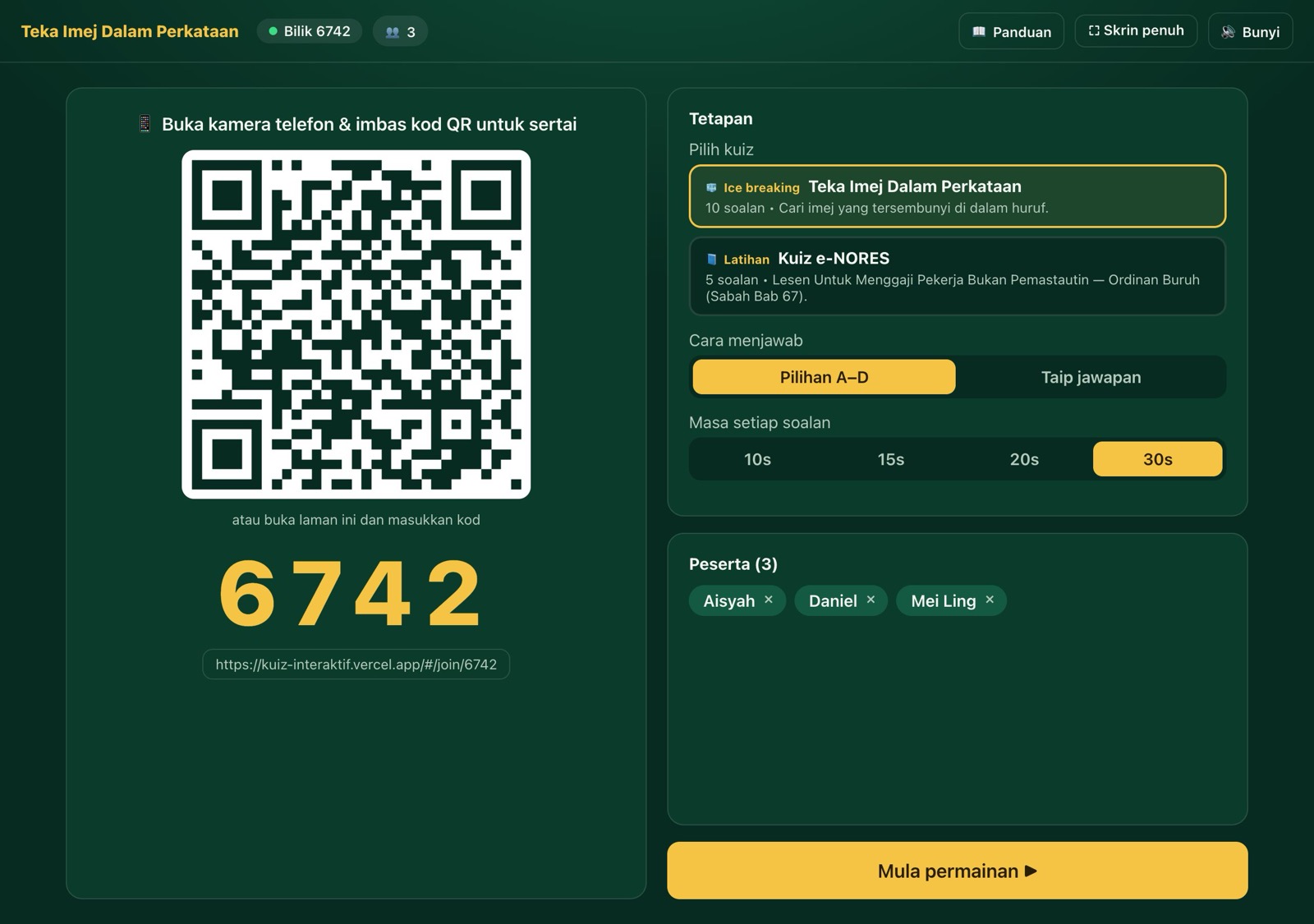
#/hoston the laptop connected to the projector. It shows a 4-digit room code and a QR code. - Players scan the QR code, which opens
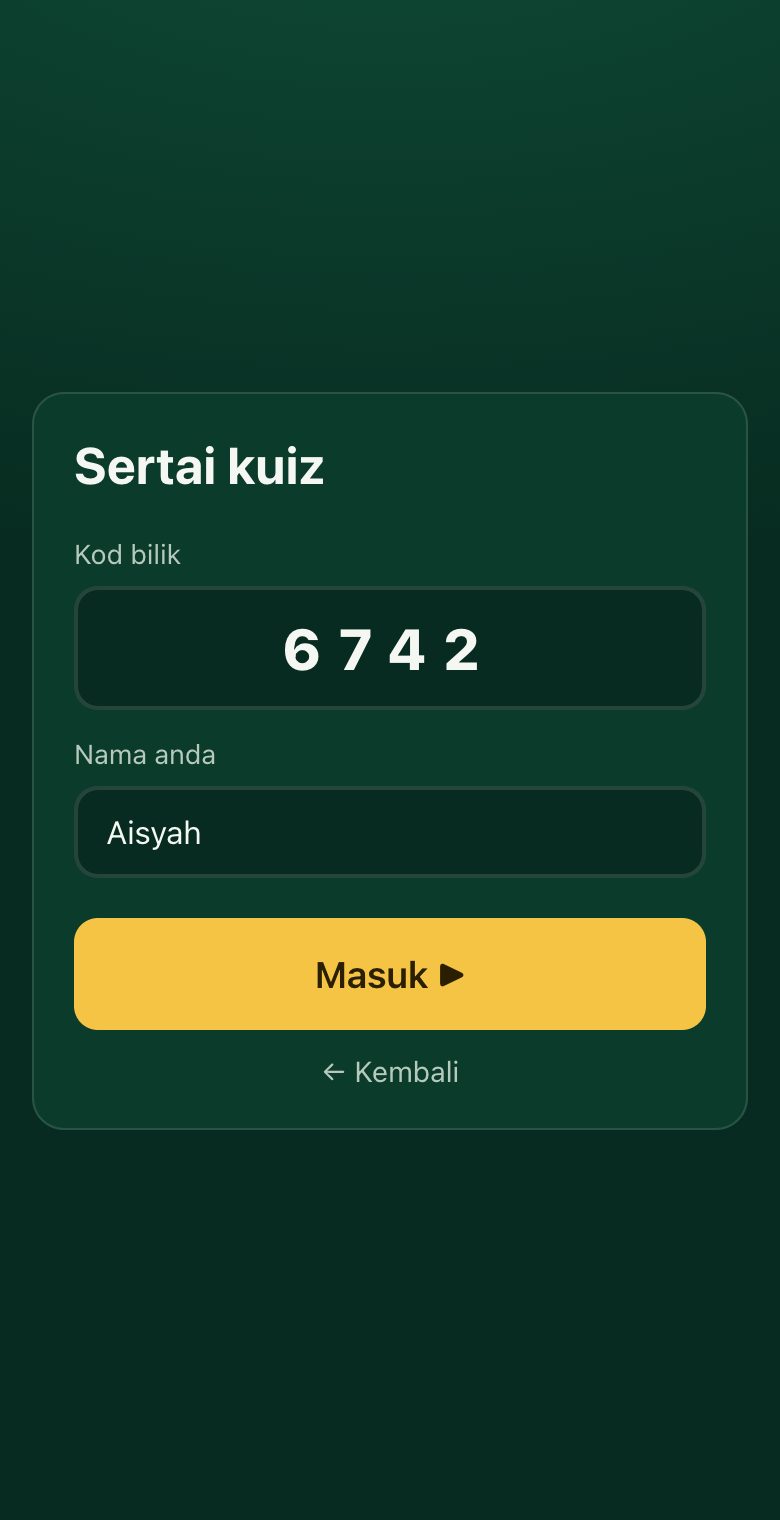
#/join/<code>on their phone, and type a name. - Each phone opens a direct WebRTC data channel to the host tab using PeerJS. The public
0.peerjs.combroker is only used so the browsers can find each other. After that, game traffic goes peer to peer. - The host tab holds everything: the questions, the timer, every player’s answers, and the scores. Phones only ever receive a snapshot of the state they’re allowed to see.
That last point matters more than it sounds. The correct answer is never sent to phones until the host reveals it. For typed answers, the list of accepted answers never leaves the host at all. Opening dev tools on your phone doesn’t help you cheat.
It’s built with Vue 3 and Vite. The full set of dependencies is PeerJS, a QR code generator, and canvas-confetti for the final results screen.
The Parts That Took Real Thought
Surviving a refresh. If the host’s tab dies, the game dies, so the README literally says “don’t close the host tab.” But a refresh shouldn’t be fatal. The host saves the whole game state to localStorage after every change and resumes it if the tab comes back within three hours. Each player gets a random ID stored in sessionStorage, so when their phone reconnects, the host matches them back to their existing name and score instead of creating a duplicate.
Reclaiming the room code. After a refresh, the host tries to re-register the same peer ID, but the PeerJS broker often still thinks the old tab owns it. If the game hasn’t started and nobody has joined, the host just picks a new code. If players are already in, it keeps retrying the same code for about 30 seconds, so their phones can find it again.
A bug I’m glad I caught early. My first version of that retry logic had every event handler refer to “the current peer.” After a retry, late events from the old, destroyed peer would fire and act on the new one, tearing down a perfectly healthy connection. The fix was to have each handler capture its own peer instance and ignore events from any peer that’s no longer the active one. It’s a small change, but it’s the kind of bug that would only show up on bad Wi-Fi, which is exactly what a conference room has.
Knowing the host is still there. The host pings every phone every 3 seconds with the remaining time. If a phone hears nothing for 10 seconds, it assumes the connection is dead and reconnects. The ping also keeps everyone’s countdown in sync with the host’s clock instead of trusting each phone’s own timer.
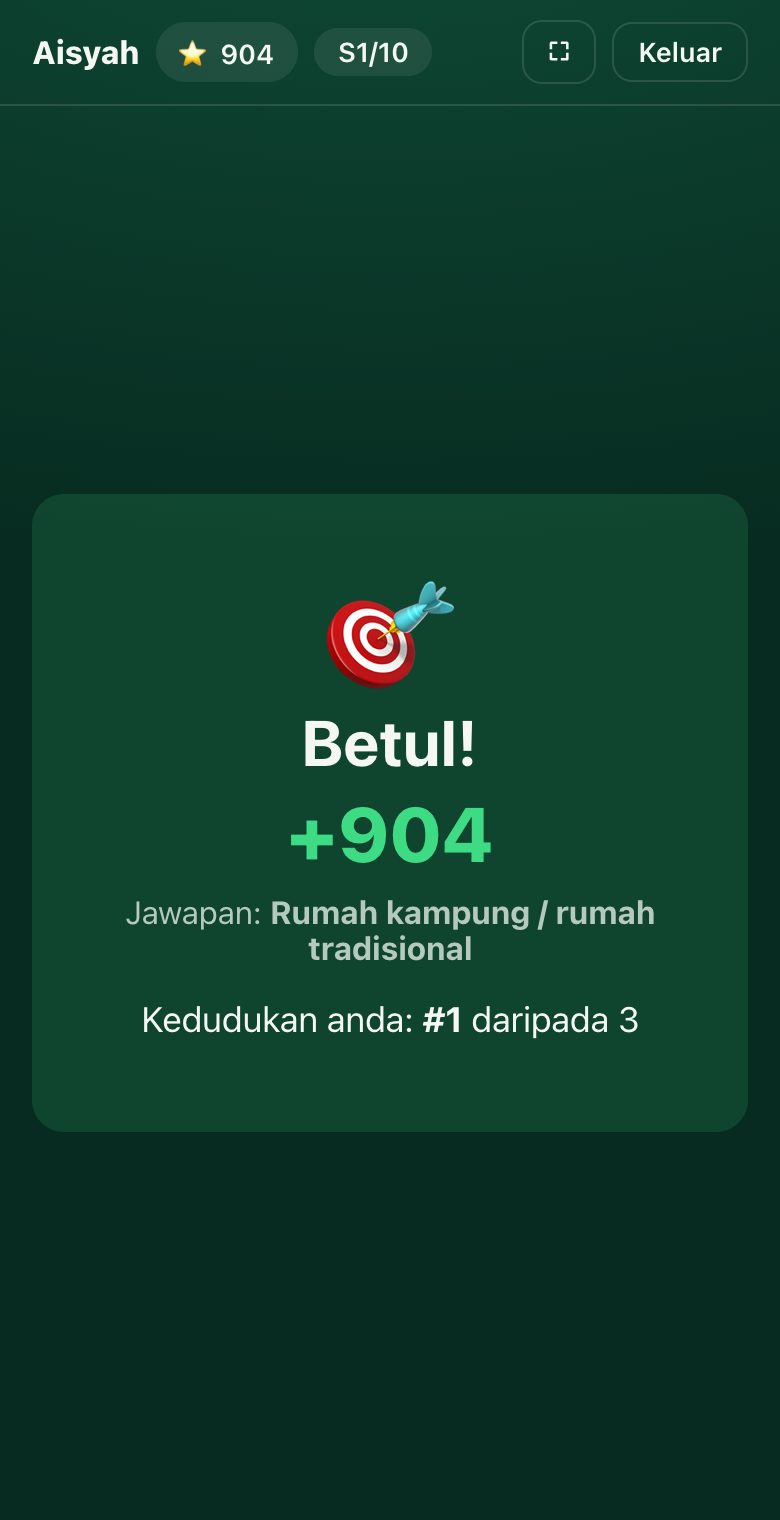
Scoring. A correct answer is worth 500 points plus up to 500 more for speed, scaled by how much time was left. The host can also manually mark a typed answer right or wrong, for when someone writes something reasonable that the matcher didn’t expect.
Typed answers. The ice-breaker quiz supports a “type your answer” mode as well as multiple choice. Answers go through a forgiving matcher: it lowercases, strips accents and punctuation, and allows one or two typos depending on word length, so “kucng” still counts as “kucing” and “durain” counts as “durian”.
My first version of the matcher was a bit too forgiving. It also accepted an answer if it merely contained a correct word anywhere, which meant typing kucing basikal bot rumah would score on any question whose answer was one of those, and bukan kucing (“not a cat”) counted as “cat”. Now the whole answer has to be within typo distance of an accepted answer. While fixing that, I also found that swapped letters (“durain”) counted as two typos rather than one, so a 6-letter word was rejected despite being the exact example in my own code comment. Both are fixed.
Two Quizzes, Easy to Add More
There are currently two quizzes:
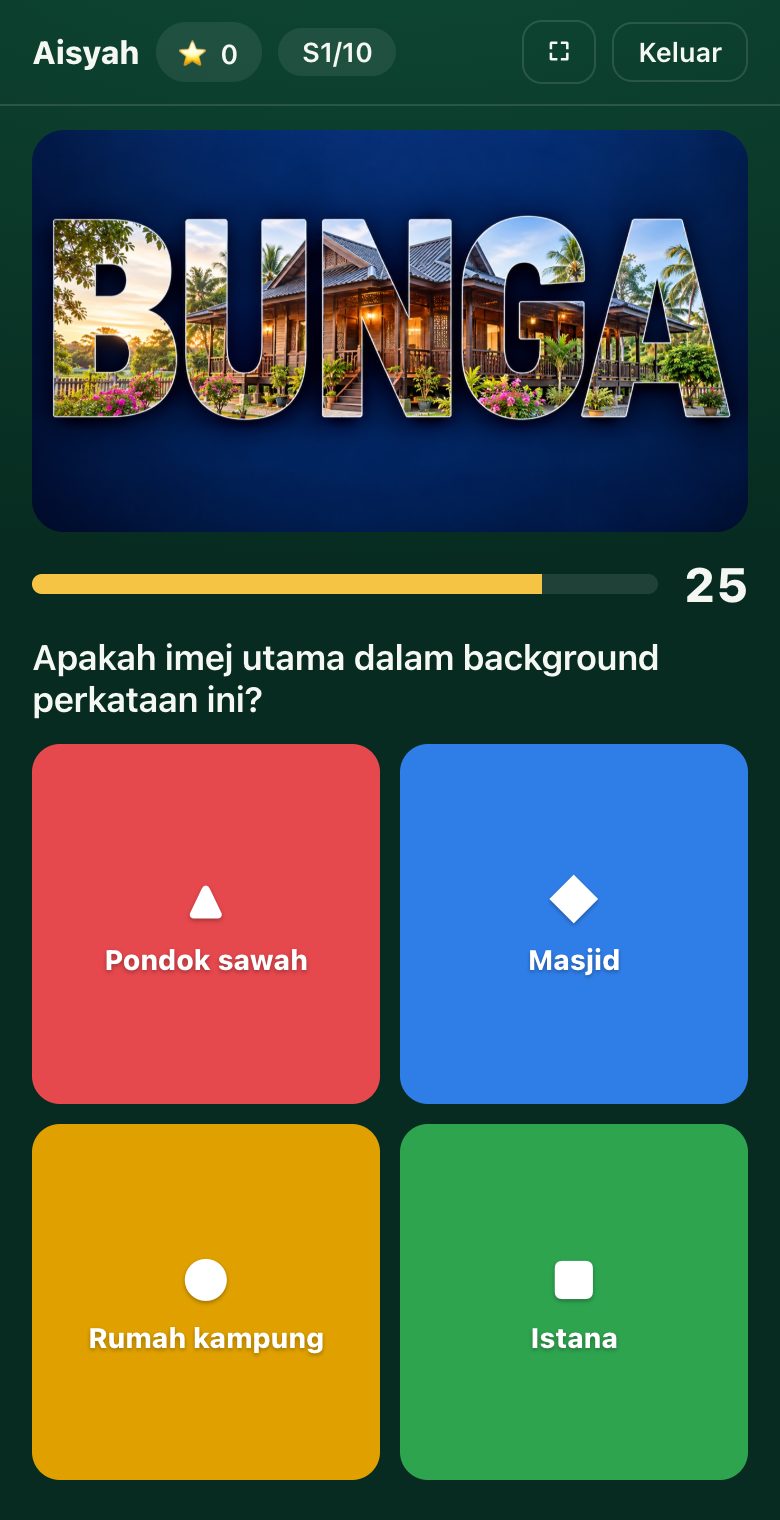
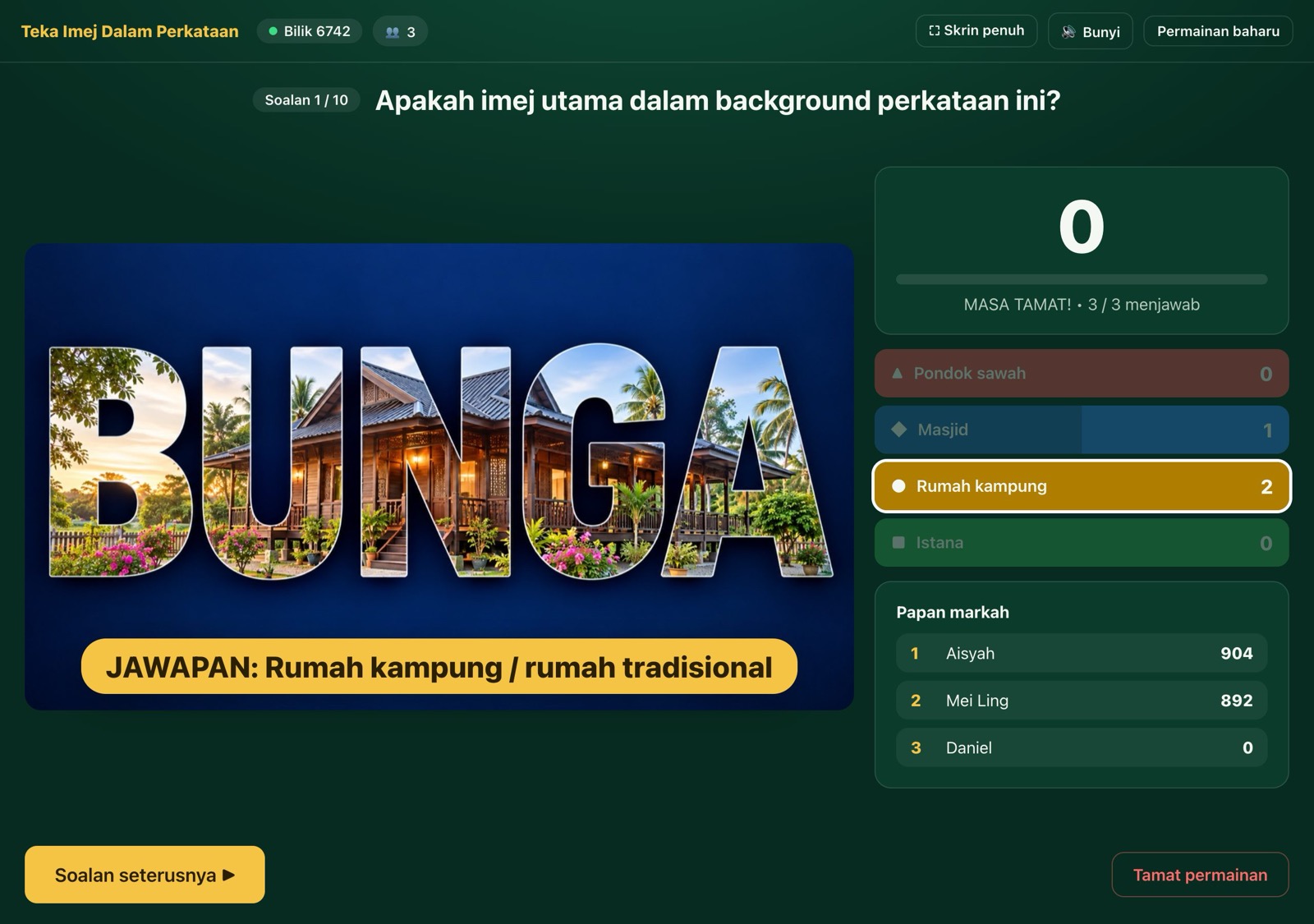
- Teka Imej Dalam Perkataan: 10 picture questions where you spot the image hidden in the letters of a word. Choices are shuffled per game.
- Kuiz e-NORES: 5 questions on the non-resident worker licence under the Sabah Labour Ordinance, with an explanation shown after each answer.
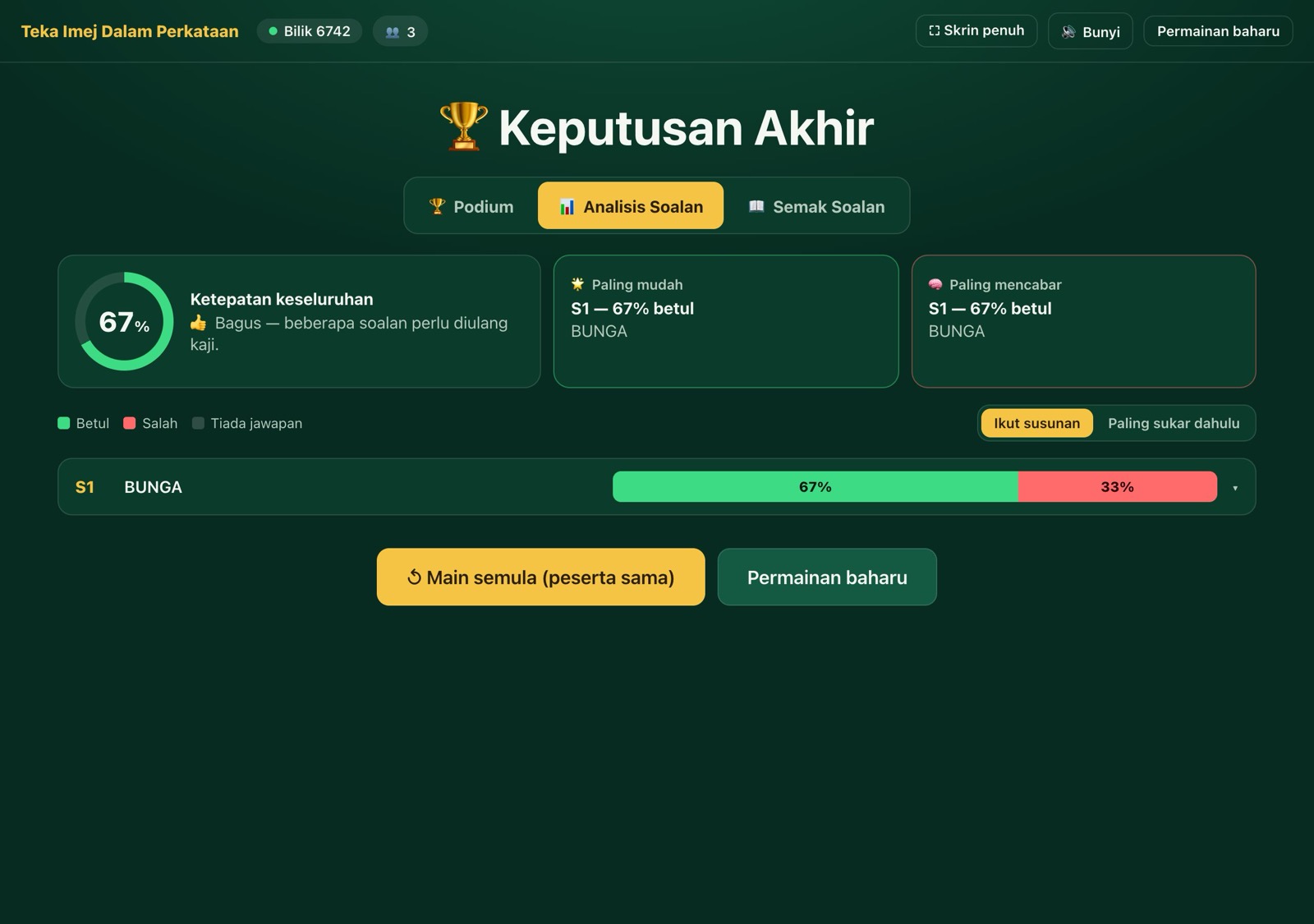
Each quiz is just a JavaScript file with a list of questions, so adding one means copying an existing file and registering it. The results screen breaks down every question: what percentage got it right, the most common wrong answer, and the average time for correct answers. That turns out to be more useful to a trainer than the leaderboard, because it shows exactly which point the room didn’t understand.
The Honest Limitations
- WebRTC doesn’t get through every network. Strict corporate firewalls can block it. The workaround in the guide is to ask players to switch to mobile data.
- It’s sized for one room. One laptop acting as the server for every phone is designed for around 30–50 players. I wouldn’t try 500.
- Analytics can’t tell host from player. I added Cloudflare Web Analytics, but because the app uses hash routes (
#/host,#/join), every visit counts as/.
Where It Stands
The first working version came together in one day, October 14, pair-programming with Claude. That included the game itself, the quiz picker, fullscreen mode and the in-app guide. The next two days went to fixes and polish: the peer-retry bug above, and a review screen so players can go back through every question and their own answers after the game.
It hasn’t been run with a real audience yet, so the 30–50 player figure and the reconnect logic are still untested under load. That’s the real test I’m waiting for.
Next up: a fix for a rare case where a phone can get stuck on “answer sent” if the connection drops at exactly the wrong moment.
You can try it at kuiz-interaktif.vercel.app. Open it on a laptop as the host, then join from your phone.
Keep reading